PlayStation Vita FAQ
Last Updated: October 16, 2014
Created On: February 3, 2011
Although it trailed far behind the Nintendo DS series of portable game consoles in unit sales, the original PlayStation Portable was still a success for Sony with over 71 million PSPs sold worldwide.
So it comes to no surprise that Sony has made a successor to the PlayStation Portable. If you have your own question, please e-mail us using the contact link to the left. To search through this page, press ctrl+F.
This guide created by PlayStation Pro 2.0. Do not steal this guide and claim it as your own.

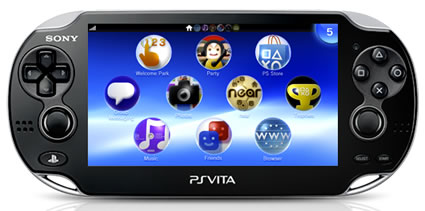 Name: PlayStation Vita
Codename: Next Generation Portable (NGP)
Price: $199.99 (Wi-Fi Only Version) / $199.99 (Wi-Fi/3G Version)
Key Features
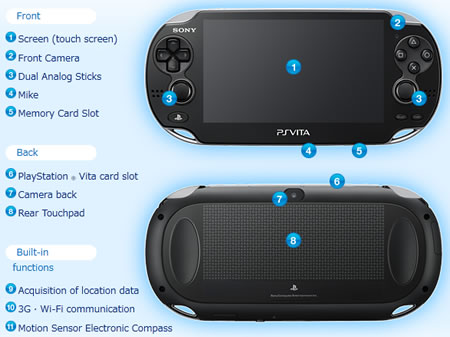
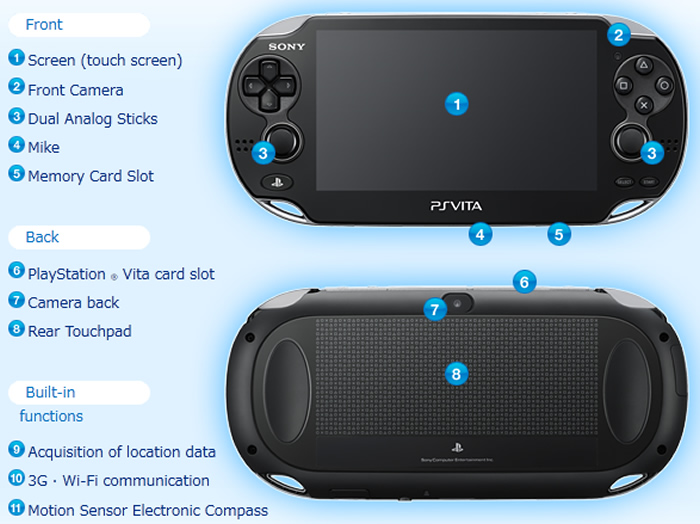
- Multi-touch 5-inch OLED screen (LCD version also available)
- Multi-touch pad on the rear of the device
- Dual analog sticks for enhanced gameplay
- Front and rear cameras
- Three motion sensors, gyroscope, accelerometer & electronic compass
- Wi-Fi and optional 3G network connectivity
- Can play Vita games, PSP games, PS Now games, minis, PS One classics, PlayStation Mobile software, videos, comics from the PlayStation Network Store.
Technical Specs
| Part |
Item |
| CPU: |
ARM Cortex-A9 core (Quad-core) |
| GPU: |
200 MHz SGX543MP4+ (Quad-core) |
| Memory: |
512 MB RAM and 128 MB VRAM |
| Display: |
5.0 inch screen (16:9), 960 x 544 pixels, 16.77 million colors,
Multi-touch screen (Capacitive Type) |
| Rear touch pad: |
Multi-touch pad (Capacitive Type) |
| Cameras: |
Front and rear. 120fps@320x240 (QVGA), 60fps@640x480 (VGA) with face detection & head tracking |
| Sound: |
Two built-in stereo speakers, Built-in microphone |
| Sensors: |
Six-axis motion sensing system (three-axis gyroscope,
three-axis accelerometer). Three-axis electronic compass |
| Location: |
Built-in GPS (3G Version Only)
Wi-Fi location service support |
| Wireless: |
3G (HSDPA / HSUPA), Wi-Fi (IEEE 802.11 B/G/N)
Bluetooth 2.1+EDR (A2DP/AVRCP/HSP) |
| Storage: |
User accessible memory card slot. 4 GB, 8 GB, 16 GB, 32 GB, and 64 GB memory card sizes available. |
| Battery: |
Built-in rechargeable lithium-ion battery (2210mAh)
About 2 hour and 40 minutes charging time from 0% to 100% |
Other Details
| Feature |
Answer |
Feature |
Answer |
| Region Free |
Yes |
YouTube, Facebook, Twitter App |
Yes |
| Multitasking |
Yes |
Video Camera Recording |
Yes |
| Cross-game Voice Chat |
Yes |
E-mail App w/ IMAP or POP Support |
Yes |
| Full HTML Web Browser |
Yes |
Video and MP3 Music Player |
Yes |
| PS Plus Support |
Yes |
Removable Battery |
Yes/No* |
| HTML5 Support |
Yes |
Camera Flash |
No |
| Skype Voice & Video |
Yes |
HDMI Video Output to HDTV |
Yes/No** |
| USB Support |
Yes |
DualShock 3 Support |
Yes/No** |
| PSN Trophy Support |
Yes |
3D Screen |
No |
| PS3 Remote Play |
Partial |
Reader App for E-Books |
Japan |
| PS4 Remote Play |
Yes |
PS Mobile Apps |
Yes |
| Netflix Streaming |
Yes |
Adobe Flash Support in Web Browser |
No |
| Parental Controls |
Yes |
Use as a Cell Phone |
Partial |
| Notification Light |
Yes |
DualShock 4 Support |
Yes/No** |
*2nd Generation PS Vita Slim (PCH-2000 series model) has a removeable battery.
**Availble only on PlayStation TV device.
 1. What is the difference between the PlayStation Vita, PlayStation TV, PlayStation Vita TV, and Next Generation Portable?
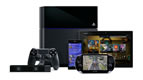
The PlayStation TV is simply a small box with PlayStation Vita hardware inside of it, but without the built-in screen and gameplay input buttons. Instead, it has a HDMI OUT port to connect it to your HDTV and it pairs with your existing DualShock 3 and DualShock 4 controllers. Sony currently sells it for $99 USD.
PlayStation Vita TV is the name of the PlayStation TV in Asia.
Next Generation Portable was the codename for the PlayStation Vita. The word vita means "life" in Latin. It is very common for companies to assign codenames to their upcoming products during the development stages.
2. When was the PlayStation Vita released?
1. What is the difference between the PlayStation Vita, PlayStation TV, PlayStation Vita TV, and Next Generation Portable?
The PlayStation TV is simply a small box with PlayStation Vita hardware inside of it, but without the built-in screen and gameplay input buttons. Instead, it has a HDMI OUT port to connect it to your HDTV and it pairs with your existing DualShock 3 and DualShock 4 controllers. Sony currently sells it for $99 USD.
PlayStation Vita TV is the name of the PlayStation TV in Asia.
Next Generation Portable was the codename for the PlayStation Vita. The word vita means "life" in Latin. It is very common for companies to assign codenames to their upcoming products during the development stages.
2. When was the PlayStation Vita released?
- Japan: December 17, 2011
- North America: February 22, 2012
- Europe: February 22, 2012
3. How much does the PlayStation Vita cost?
Price: $199 USD: Crystal Black OLED 3G/Wi-Fi version. Comes with 4 GB Vita Memory Card and The Walking Dead: Season 1 video game.
Price: $199 USD: Crystal Black LCD Wi-Fi version. Comes with 8 GB Vita Memory Card and Borderlands 2 video game.
Price: $199 USD: Crystal Black OLED Wi-Fi version.
Price: $299 USD: Crystal Black OLED 3G/Wi-Fi version. Comes with 4 GB Vita Memory Card, voucher code for Unit 13 video game, and 1 Free Year of PlayStation Plus Membership.
4. Can I use my PlayStation Vita as a cell phone?
If you install the free Skype app for the PlayStation Vita, then you may call landline phones and cell phones from the Vita for a low per minute fee via a 3G or wi-fi connection. You may voice and video chat with other Skype users for free from your PS Vita. Vita to Vita voice chat outside of the Skype app is also free.
Of course, the Skype app uses data for voice and video calls, so you will need a data plan if you want to make phone calls via 3G. If you only plan to use wi-fi for phone calls, then no data plan is needed. Here are some examples of typical Skype usage to get an idea of how much data you will need for phone calls:
- Skype-to-Skype: 50kbps. Around 3 MB for one minute of calling.
- Calls to landlines/mobile numbers: 6-20 kbps. About 1 MB for 1 min of calling.
- Video calls between two mobile devices: 500 kbps.
- Video calls between a mobile device and a computer: 600 kbps.
5. Which cell phone carrier does the Vita use?
- United States: AT&T (SIM Locked)
- Canada: Rogers
- Japan: NTT DoCoMo (SIM Locked)
- Europe and Australia: Vodafone
Sony has partnered with AT&T to provide 3G data for the PS Vita in the United States. It uses the DataConnect Pass plan similar to the Apple iPad plan. This plan is prepaid, so you won't have to sign a contract and there are no commitments and no activiation fees. It also includes free AT&T Wi-Fi hotspot access in the United States.
Plan Options:
- $5.00 for 250MB (1 Day Pass - Limited Time Offer)
- $25.00 for 1 GB (3 Month Pass - Limited Time Offer)
- $14.99 for 250 MB of 3G data (30 Days)
- $30.00 for 3 GB of 3G data (30 Days)
- $50.00 for 5 GB of 3G data (30 Days)
Except for the 1 day pass or 3 month pass, any unused data will expire 30 days after purchase. After midnight on the 30th day, it will auto renew or you can disable auto renew and manually buy another 30 day bucket of data when you want, such as when you go on vacation. There are no overage charges if you go over your allotment of data. If you do use all of your allotment, the 3G data will simply stop working until you are ready to buy more.
The 3G Vita is also compatible with AT&T's Mobile Share plan. See here for more details.
6. What other options do I have if I hate AT&T or if AT&T is horrible in my area?
You don't have to use ATT if you really don't want to.
Another option is to buy the Vita Wi-Fi version and then use a portable wi-fi hotspot, sometimes called a MiFi, to connect your Vita to the Internet where ever there is cellular data. Verizon Wireless, Sprint, Cellular South, Virgin Mobile USA, Clearwire, T-Mobile, FreedomPop, and AT&T all offer portable wifi hotspot devices in the United States.
Android Jelly Bean, KitKat, and Lollipop smartphones and recent versions of iOS for iPhone also have built-in hot spot functions without the need to download paid apps. Depending on your carrier's policies, you can use these functions with your existing smartphone data plan without buying a seperate hotspot data plan.
7. Can I tether my cell phone to the Vita?
If your phone can turn into a wi-fi hotspot, then your Vita can access your existing 3G, 4G, or LTE internet data plan using that method. You cannot tether a smartphone and Vita together via bluetooth to access the internet.
8. Is it true that the PlayStation Vita is as powerful as a PlayStation 3?
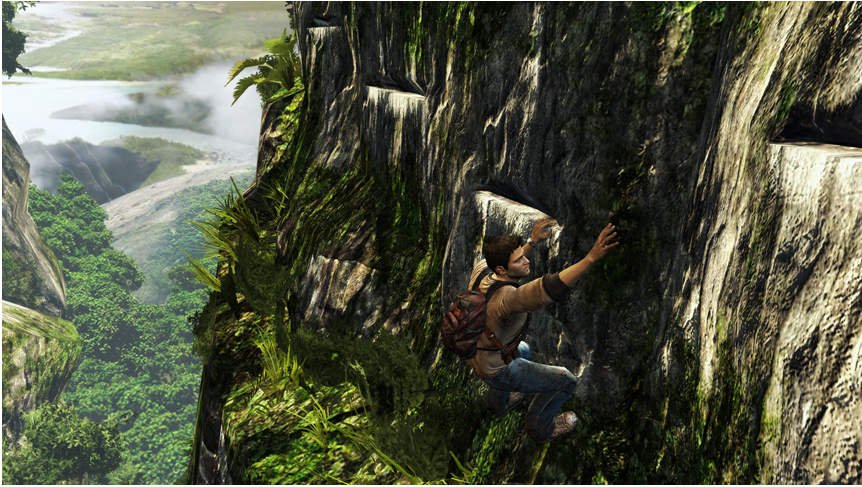
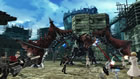
No. However, the Vita can run actual PlayStation 3 games smoothly. For example, during "PlayStation Meeting 2011," Hideo Kojima showed Metal Gear Solid 4 running on the PS Vita. The game development kits that companies use to create Vita games has an "export" function that enables developers to create Vita versions of existing PlayStation 3 games quickly and with minimal rendering changes.
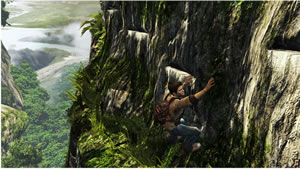
Example of the PS Vita's Graphics Power
9. Can the PlayStation Vita multitask?
Yes. In fact, it can multitask better than the PlayStation 3. This is because the Vita has more system RAM than the PS3.
So by pressing the PS Button, you can switch to running and paused applications in the background while you are playing a game and even do cross-game voice chat. The Vita web browser and YouTube app can also be used without closing your current game.
Note: The web browser can only work at the same time as playing a Vita game if you have firmware version 2.00 or higher installed.
10. Does the PS Vita have internal storage? How do I play games on it?
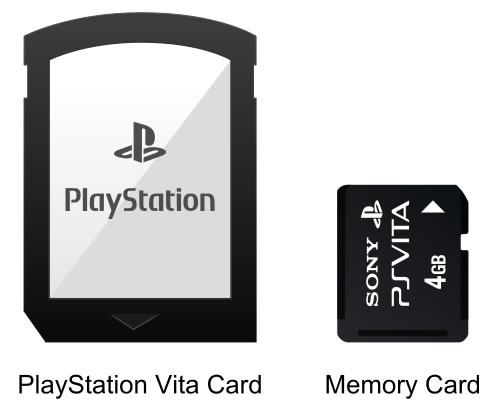
The PlayStation Vita has two media card slots. In slot #1 located at the top of the Vita, you insert your game media cards (called PS Vita Cards) which obviously contain the Vita game you want to play. These small proprietary flash cards can be purchased at the same places that other games are sold.
In slot #2, located on the bottom of the Vita, you insert your memory card for personal storage, such as photos, music, movies, and downloaded content from web sites and the PlayStation Store. These memory cards are also proprietary technology from Sony and come in 4 GB, 8 GB, 16 GB, 32 GB, and 64 GB flavors, so you have the option to decide how much internal storage you want or need instead of coming with pre-decided internal storage.
Update: The PlayStation Vita Slim model (PCH-2000 series) comes with 1 GB of internal storage. It canot be combined with the storage of a removeable memory card. In other words, it is either one or the other but not both at the same time.
You may transfer data from the built-in 1 GB of internal storage to the removeable memory card, but the removeable card must be formatted by the Vita before usage.
11. Is the PlayStation Vita backwards compatible with PlayStation Portable games?
Yes, it has backwards compatibility with digital PSP games from the PlayStation Store. At this time, it is not compatible with all PSP games yet. The reason for this is because Sony must verify each PSP game is 100% compatible with the Vita. It is a time consuming process.
Some games, such as Valkyria Chronicles 2, are not in the Vita store but can still be played on the Vita. First, you need to download the game to your PS3 and then transfer the game to the Vita on the same local network as the PS3. This can be done via ethernet cable, wi-fi, or by connecting the PS3 and Vita together using a USB cable.
12. Does the PS Vita improve the graphics of PlayStation Portable games?
Yes. Using a simple bilinear filter, it can smooth out the textures on PlayStation Portable games running on the Vita. This option can be turned on and off by holding the PS Button and selecting "settings." (Update: On older firmware, you hold your finger on the front touchscreen until a menu pops up.) The amount of visual improvement will depend on the game. Some games will not have much of a noticeable improvement. In almost all cases though, PSP games will at least have much more vibrant colors on the Vita screen.
In addition, the 2nd analog stick can be mapped onto any button you wish. Press and hold your finger on the touchscreen to assign the right side analog stick.
There is also a "color space" function for PSP games that makes the Vita OLED look more like the original PSP LCD. Colors on an OLED look a little different than that of LCDs. This option can also be turned on and off at any time.
13. How much do Vita games cost?
PlayStation Vita retail games range from $9.99 to $49.99. The good news is that very few Vita games retail at $49.99, with the majority of games starting at $29.99 to $39.99, and then steadily dropping in price the longer the game has been on the market.
There are also free to play digital Vita games in the PlayStation Network Store and some games less than $10 for purchase.
14. Is it true that PlayStation Vita is running the Android operating system?
No. Using the software framework called PlayStation Mobile (formerly called PlayStation Suite), games and apps developed using PS Mobile will run easily on both Android cell phones and PlayStation Vita. This means that if a developer wants to make an app or game for Android 2.3 and Android 4.x phones, as long as they used PlayStation Mobile, the app or game can be sold in the PlayStation Store as well.
Users can go into the PlayStation Store from their Vita and download these apps. Both free and paid apps are available.
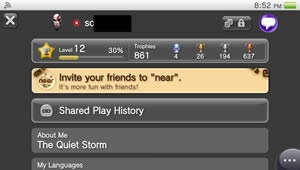
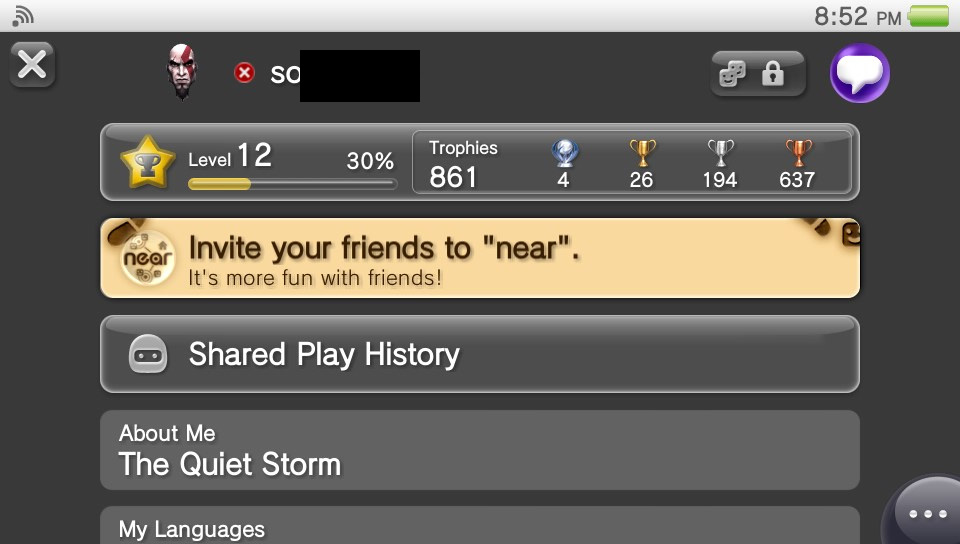
PSN Friend Profile on the Vita
(Click to Enlarge Image)
15. What is the real-world battery life on the PlayStation Vita?
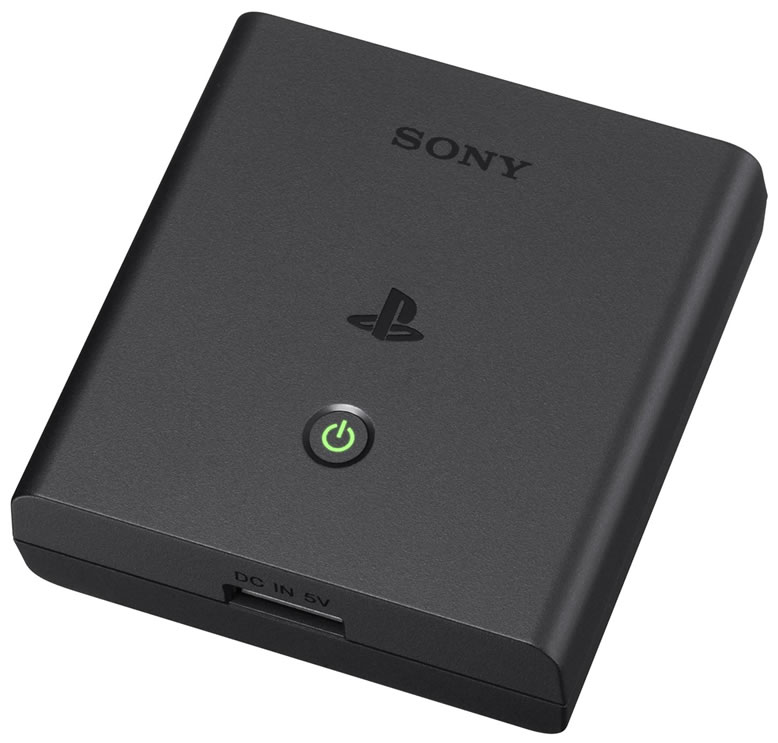
The battery has an output of 2210 mAh, which is about on par with most mid-tier smartphones. An official Sony PS Vita portable battery charger is now available for those who need additional battery life when away from a power outlet.
PlayStation Vita Battery Life:
Music: 9 Hours
Videos: 5 Hours
Games: 3-5 Hours
Standby: 5-7 days or more*
*Depends on how often you have your Vita set to wake up and check for new messages, auto-sync trophies, etc, while it is sleeping.
PlayStation Vita Slim Battery Life:
Music: Not tested
Videos: 12+ Hours
Games: 6-12 Hours
Standby: Not tested
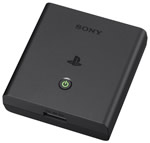
PS Vita Portable Charger
(Click to Enlarge Image)
16. Is the Vita battery user replaceable?
Unlike the PlayStation Portable, the 1st generation PlayStation Vita does not have a user replaceable battery. Of course, you can still attempt to use a screwdriver and replace it yourself, but it will void the warranty.
The PlayStation Vita Slim (PCH-2000 series) has a battery that can be replaced without voiding the warranty. The instructions are in the Vita manual and it involves removing about 7 screws and a ribbon cable. As a result, it's not something ideal for getting extra battery time on a long haul plane ride, for example. An external portable charger is probably a better idea.
17. What benefits does the OLED screen have over the traditional LCD screen on the PSP?
One of the biggest complaints about the original PSP screen was the slow response time of the screen. This led to some blurriness and unintentional motion trail effects. OLEDs have faster response times compared to standard LCD screens. OLEDs also offer significantly better viewing angles and contrast to LCDs, such as true black colors. LCDs have trouble showing true black colors without looking slightly grey.
In addition, OLEDs can have better battery life than standard LCDs. However, this depends on what is being displayed on the screen.
OLEDs are very efficient at displaying black images with up to 60% power savings compared to an LCD displaying a similar black image. In a game that takes place mostly in the dark, the power savings will be great. In a game that takes place in snow scenery, for example, the OLED will actually consume more power than a LCD because of the white backgrounds. When the RGB pixels on an OLED screen turn on full blast, they appear white to the human eye. This consumes a lot of battery life.
Update: The PlayStation Vita Slim was released in Japan on October 2013 and it has an LCD screen, which allows much better battery life. The OLED model is still being sold for those that want it, although it is no longer being manufactured.
We prefer the OLED screen due to better viewing angles and more vivid colors, but this is just a personal preference.
18. Can the PS Vita output video to a HDTV screen or PC monitor?
Technically, it has an upscaler that supports up to 1080i resolution, but the video output function on the 1st generation PlayStation Vita is unsupported by Sony and they have no further plans to allow video output on the PS Vita.
Update: Vita to HDTV output is now possible on the PlayStation TV console. It was released on October 14, 2014 in North America.
19. Does the PS Vita have Remote Play like the PlayStation Portable?
PS3 Remote Play: Works on a very small selection of PS3 and PSN games and you can still remotely view various functions on the PS3, such as your photos or check on the progress of the items in your download list. You can also remotely turn on and turn off your PS3 from the Vita from almost any location you have Internet access. Note: The Vita does not have L2 or R2 buttons, but they can be assigned to the rear touchpad.
PS4 Remote Play: It will have all the same functions on the PlayStation 4 as it does on the PS3. However, there is greater compatibility in the games that you can play remotely. Almost all PS4 games can be remotely played from the PS Vita, with the exception of PS4 games that require the PS4 camera or other essential features that cannot be emulated on the Vita.
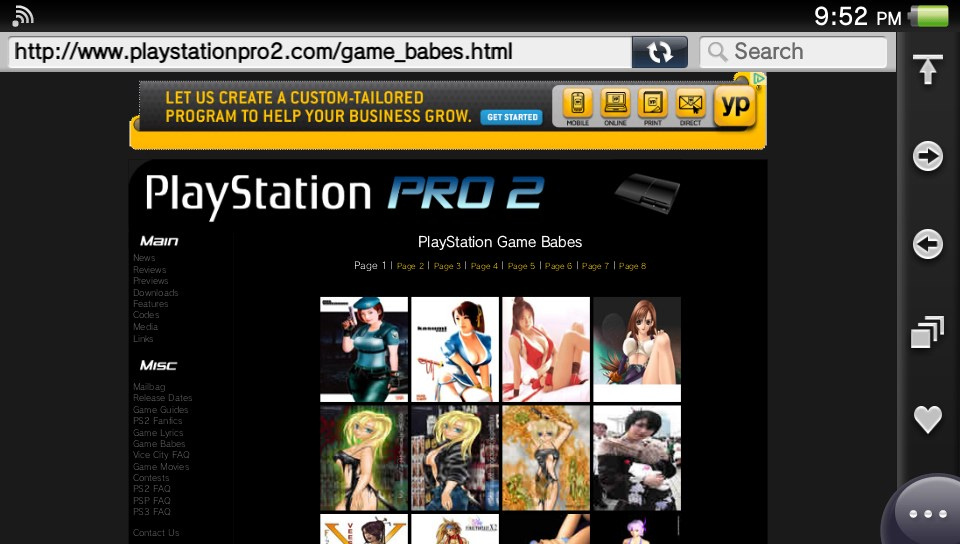
20. Does the PS Vita have a web browser? Does it use the touchscreen?
Yes and yes. You may have up to 8 web browser tabs open at once. You can also use the web browser while you are playing a Vita game if you have firmware version 2.00 or higher.
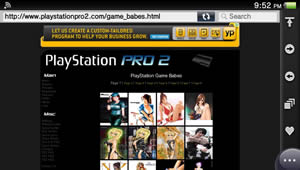
PlayStation Vita Web Browser
(Click to Enlarge Image)
21. Is the Vita available in any other colors besides Black?
It is currently available in Crystal Black and Crystal White in North America. In Japan, Cosmic Red and Sapphire Blue are also available. Update: The PlayStation Vita Slim is available in black, white, gray, yellow, brown, and pink.
22. Isn't Sony behind the times by only having the device support HSDPA and not LTE?
For the most part, High-Speed Downlink Packet Access (HSDPA) should be fast enough for what you will be doing with your Vita. AT&T users can expect download speeds in between 3 and 7 Megabits/sec.
Long Term Evolution (LTE) is obviously significantly faster, but it drains battery life very quickly compared to HSDPA and HSPA+. Future versions of the Vita may have LTE.
23. Are the dual analog sticks on the PS Vita the same as the ones on the PSP?
They are real analog sticks rather than the sliding nub found on the original PlayStation Portable. In other words, they tilt instead of slide.
24. Will the PlayStation Vita have any apps that I can download?
The PlayStation Vita has the following downloadable apps:
- Colors!
- Crackle
- Crunchyroll
- Facebook
- Flickr
- Grand Theft Auto: iFruit
- Hulu Plus
- Imaginstruments
- LiveTweet (Twitter)
- Music Unlimited
- NBA Game Time
- Netflix
- NHL Gamecenter
- Paint Park
- PlayStation Home Arcade
- PlayStation Now
- Qello HD Concerts
- Redbox Instant
- Skype
- Tunein Radio
- Wake-up Club
- YouTube
Pre-Installed Apps
- Camera
- Calendar
- Content Manager
- E-mail
- Friends
- Maps
- Messages
- Music
- Near
- Party
- PlayStation Store
- Photos
- Remote Play
- Settings
- Trophies
- Videos
- Web Browser
- Welcome Park
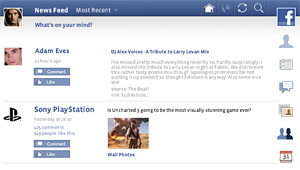
Facebook App for PlayStation Vita
25. Does the Vita allow custom soundtracks so I can listen to my own music during my gaming sessions?
Yes. Start the Vita music player before you load up your game and the music will continue to run in the background while you play the game.
26. Can I play PlayStation 2 games on my Vita?
At this time, it cannot play PS2 games. Maybe in a future firmware update.
27. How can I play my current PlayStation Portable game collection on the Vita?
If you are the owner of a PSP Go, then you can simply re-download your compatible digital games into the PlayStation Vita for free.
But what about your existing UMD game collection if you own a regular PSP? American UMD owners will have no choice but to keep their existing PSP to play those UMD games or re-buy their UMD game collection from the PlayStation Network Store and download them into the Vita.
28. Will all PlayStation Portable games be able to download from the PlayStation Store into the Vita?
No, due to legal and copyright reasons. It is certainly hard to understand why any game company would not want a downloadable version of their PSP game to be made because more unit sales equals more money, right? However, sometimes companies go out of business and the rights to a game are transferred to another company and then it becomes a complex legal mess.
Don't worry. Most "must have" PlayStation Portable games should eventually be available on the PS Store to be downloaded into Vita.
29. What is the camera resolution on the front and back cameras?
The max resolution of the cameras are 640x480 (VGA). The recording framerate is 60 FPS in 640x480 (VGA) mode and 120 FPS in 320x240 (QVGA) mode. These are 0.3 megapixel cameras, so the quality of the photos are very bad. They are adequate when using them for video chat. Future Vita models may have better cameras.
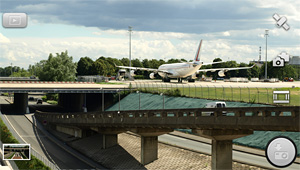
PlayStation Vita Camera Interface
30. Can I use my existing bluetooth headset with the Vita or will I have to buy a new one?
Most Bluetooth headsets available today will work with the PlayStation Vita.
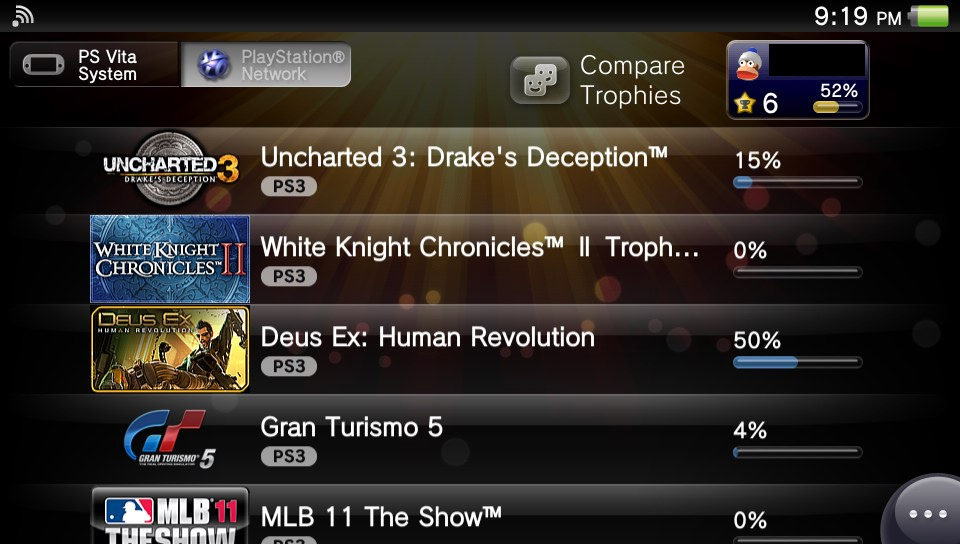
31. Is there trophy support on the PlayStation Vita?
Yes. You can earn trophies, view your trophies for each Vita, PS3, and PS4 game, and compare them with your PSN friends from your PS Vita system.
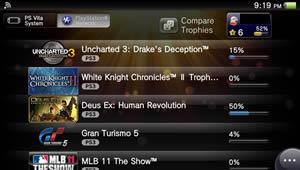
Trophies Menu on PS Vita
(Click to Enlarge Image)
32. What is the difference between capacitive and resistive touchscreens?
A capacitive touchscreen requires you to put your finger on the screen to register your input but you don't need to apply pressure to the screen. The Vita has a capacitive touchscreen.
Resistive touchscreens require the user to put some pressure on the screen in order for the device to register your input. Resistive touchscreens almost always come with a stylus for you to use with the screen. Or you may use your fingernail. The Nintendo 3DS has a resistive touchscreen.
33. Is the built-in GPS in both models?
No, it is only built into the 3G model.
34. Does the Vita have a stereoscopic 3D mode?
No.
35. Does the Vita have a glossy or have a matte finish?
The surface is glossy.
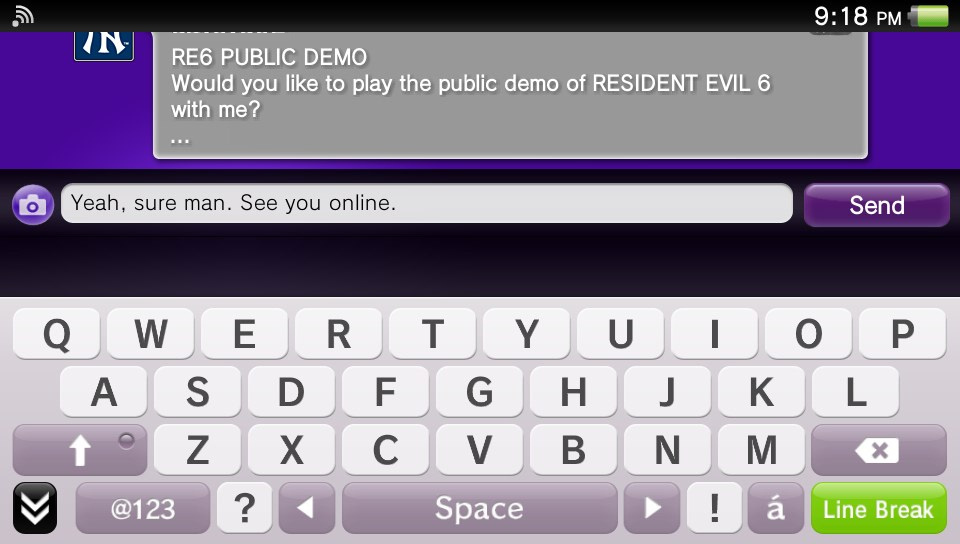
36. Will I be able to see my PSN friend list and send them messages without leaving the current game I am playing?
Yes, via the console's LiveArea user-interface. The Vita actually has more main system memory than the PlayStation 3, so similar multitasking found on the PS3 is no problem for the Vita.
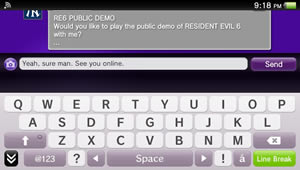
Messaging on PS Vita
(Click to Enlarge Image)
37. Will I need to create a new PlayStation Network account for my Vita?
You will be able to use your existing PSN login and password with PS Vita.
38. How many pixels per inch (ppi) does the Vita have?
The PlayStation Vita has 220 pixels per inch. Here is how it compares to other popular portable devices:
PlayStation Portable: 128 PPI
PlayStation Portable Go: 145 PPI
Nintendo 3DS: 238 PPI
Samsung Galaxy S II: 218 PPI
Apple iPhone 4S: 326 PPI
Apple iPhone 5S: 326 PPI
Apple iPhone 6: 326 PPI
Apple iPhone 6+: 401 PPI
Samsung Galaxy Note 4: 515 PPI
39. What file formats does the PlayStation Vita support?
Video
MPEG-4 Simple Profile (AAC), H.264/MPEG-4 AVC High/Main/Baseline Profile (AAC)
Music
MP3, MP4 (MPEG-4 AAC), WAVE (Linear PCM)
Photo
JPEG (Exif 2.2.1), TIFF, BMP, GIF, PNG
Confused? Don't worry. It won't be difficult to get your personal video collection to play on the Vita. There will be video converters that do the work for you if it's not already in the proper file format.
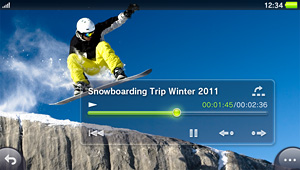
PS Vita Video Player
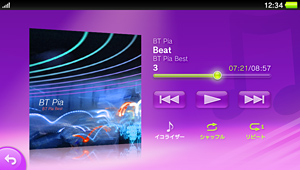
PS Vita Music Player
40. Does the GPS work even when an internet connection is not available?
Yes. However, it finds your position much faster when you use an internet connection. This is called A-GPS (Assisted GPS), which uses a combination of cellular data and satellites in orbit to pinpoint your location. Using satellites alone may take some time to find your position.
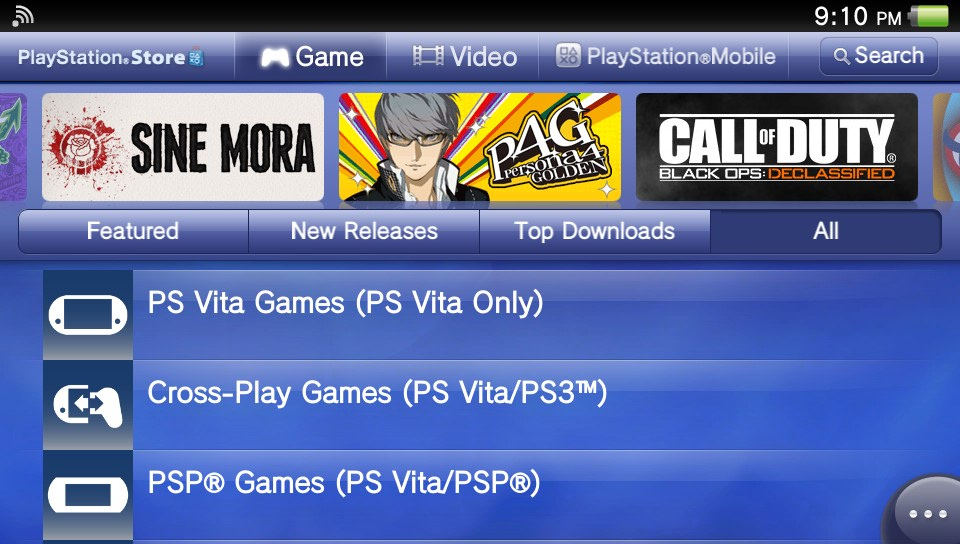
41. Can the PlayStation Store only be accessed from Wi-Fi?
It can be accessed from both 3G and Wi-Fi. The download sizes of PS Store games and videos using the built-in 3G are limited, though.
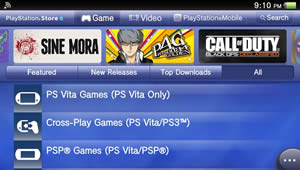
PlayStation Store on PS Vita
(Click to Enlarge Image)
42. Is the PS Vita region free?
Yes. You may play most Japanese, European, and American games without any modifications or hacks.
43. Is it possible to be signed into PSN from my PlayStation 3 and PlayStation Vita at the same time?
Yes.
44. Does the Vita support Adobe flash?
No, and it might never have Flash, as Adobe themselves have stated that they are giving up on Flash on mobile devices. YouTube still works though if you download the YouTube app and so do web sites which have the option of HTML5 videos instead of Flash videos.
45. Can I connect my Dual Shock 3 to my Vita? How about a Bluetooth keyboard or mouse?
A bluetooth keyboard may work if you have firmware version 3.10 or higher. The official PlayStation Bluetooth Wireless Keypad certainly works.
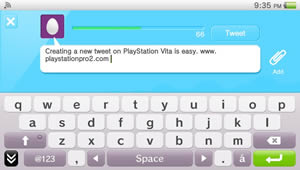
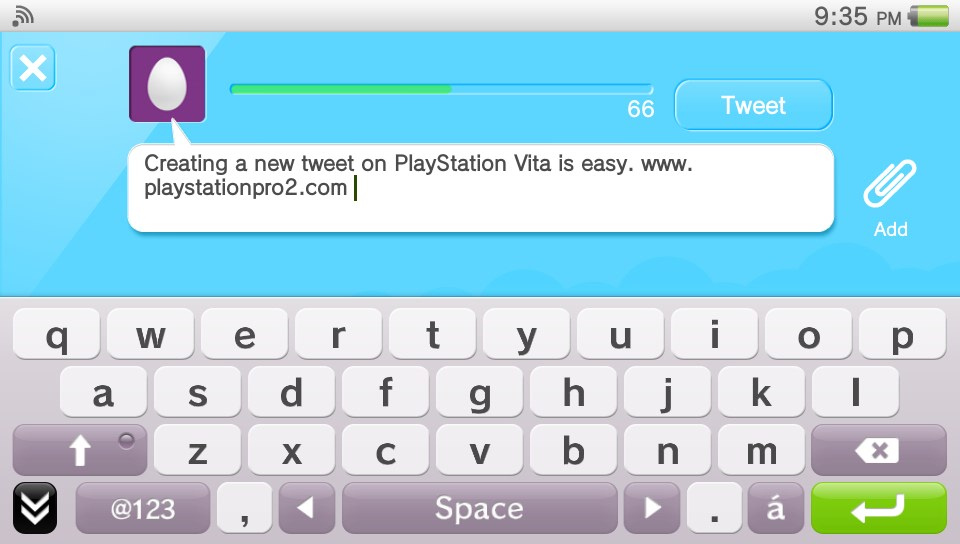
Tweeting from the Vita
(Click to Enlarge Image)
46. Won't the PS Vita be outdated in a few years because there is a new iPhone and Android phone coming out each year with improved graphics?
It is true that some iPhone and Android games are looking better and better as time goes on. And some of them offer dozens of hours of enjoyment for only a few dollars.
However, you must remember that touchscreen only games cannot be as complex as a console with physical buttons, analog sticks, AND a touchscreen, such as the Vita. It also goes against all logic to put the "action buttons" on the same exact screen you are using to view the game; especially in a shooting game. Sure, casual games like Angry Birds are far better using a touchscren than using physical buttons, but what about games for more serious and dedicated gamers who expect complex games that require many buttons? You can't fit them all on the touchscreen.
Until the iPhone and more Android cell phones (besides the Sony Ericsson Xperia Play) come with more physical buttons, the PlayStation Vita and Nintendo 3DS will continue to have their place in the industry even if the iPhone eventually becomes more powerful in the near future.
47. If I install the same PSP game on my PS Vita and on my PSP, can they play multiplayer with each other?
Yes.
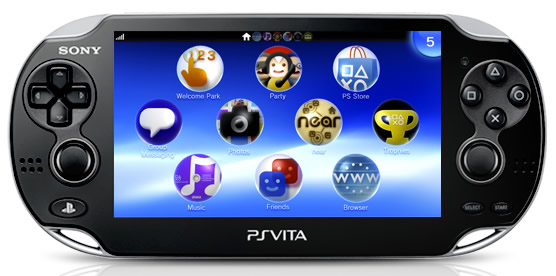
48. What are the icons on the PlayStation Vita home screen?
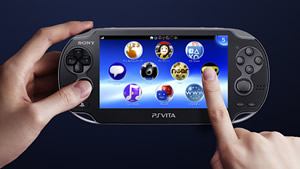
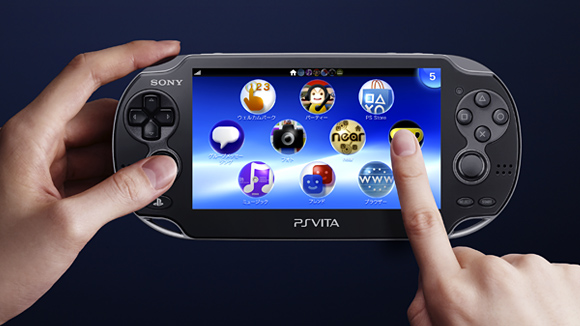
PlayStation Vita LiveArea
The PS Vita home screen is called LiveArea. From left to right:
Welcome Park: Mini-games that allows you to explore all the features the PlayStation Vita offers. You can earn trophies here.
Party: This is a voice and text chat application that allows you to join a party of up to 8 friends and chat with them while you do anything on your PS Vita, such as gaming or web browsing. Each person may play different games while they chat or quickly and easily jump into multiplayer games with each other. Even works with people who are on the PlayStation 4.
PlayStation Store: Enter the PS Store to download PS Vita games, demos, game trailers, films, DLC, and Vita apps.
Messages: Send messages to people on your PSN friend list, even if they are on their PSP, PS4, or PS3. You may attach a photo that you've taken on your Vita to each message.
Photos: Take pictures with the Vita's camera and view captured photos here.
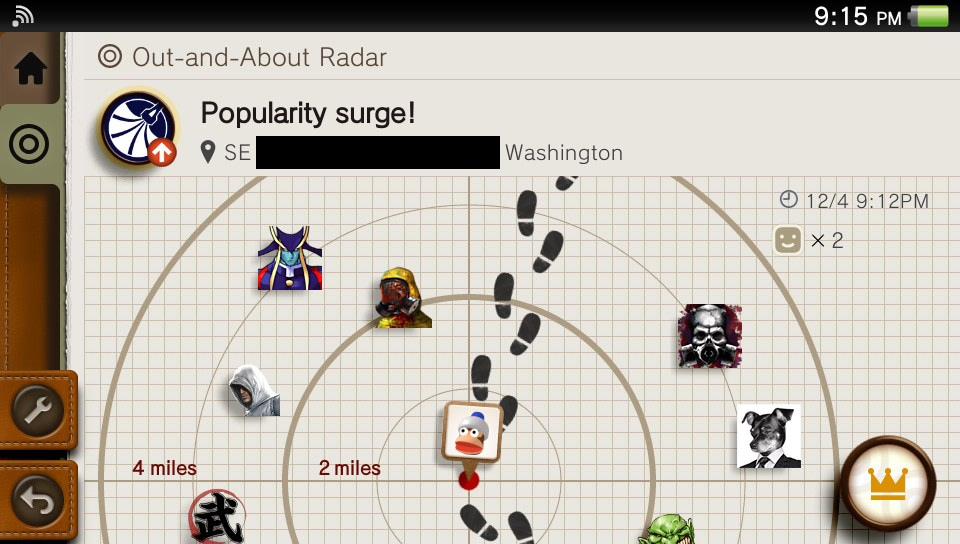
Near: This location based app will help you find new friends near your current location and challenge them to games or play cooperatively with them. May be turned off if you want privacy.
Trophies: View your PS Vita and PS3 trophies here and compare them with friends.
Music: Listen to your music transferred from your computer or PS3.
Friends: This is your PSN friend list. Add/delete friends, see what games your friends are currently playing on Vita, PS4, or PS3, and join their game or see which games you have played with them recently. You may also setup your online profile and avatar here and compare trophies.
Web Browser: This icon will launch the Vita internet browser. May be used over Wi-Fi or 3G.
Note: There will be more pages of icons for all your applications. To view the next or previous page of icons in LiveArea, simply swipe up or down.
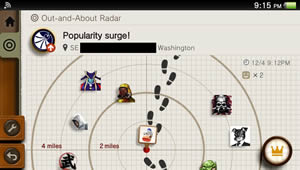
Vita Near App
(Click to Enlarge Image)
49. Why are PlayStation Vita Memory Cards so expensive? Can I use SD Cards instead?
They look like standard memory cards on the outside but they are expensive because they have proprietary technology inside of them. The idea is to prevent hackers from putting executable code on the cards to run unofficial software from the card or flash custom firmware.
And of course another benefit for Sony is that you must purchase Vita memory cards made by them, as other brands don't exist due to the cards being proprietary. If you want to save your game progress and a place to store downloadable content, then you must use a PS Vita Memory card (unless you have the Vita Slim model, which comes with 1 GB of internal storage). SD cards cannot be used on the Vita.
50. How do I transfer files from my computer to my Vita and backup my Vita files?
Download and install the official PlayStation Content Manager Assistant.
51. Does the PlayStation Vita have a notification light on the outside so I know when I get new messages? Do I have to keep my Vita turned on for it to work?
The PS Button will slowly blink blue when you have new notifications, such as new messages from your friends. The Vita will turn wi-fi on periodically when it is in standby mode (sleep mode) so there is no need to leave the Vita on for it to automatically check for new messages for you.
You may need to enable automatic checking of new messages. In the Messages app, go into the option menu and select the message checking interval (10 minutes, 30 minutes, 1 hour, etc).
Update: On the PlayStation Vita Slim, the notification light has been moved from the PS button to the top edge of the device.
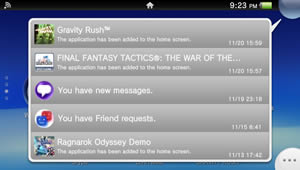
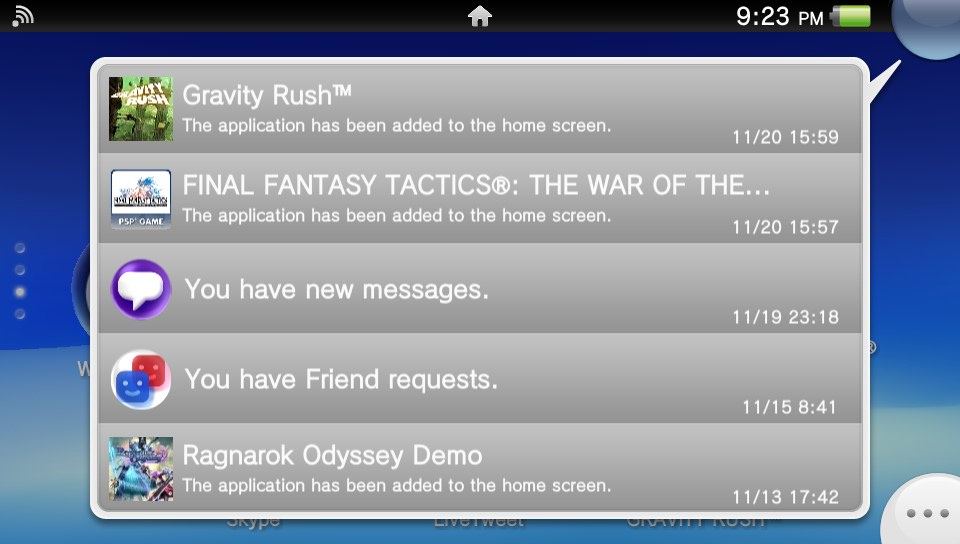
Vita Notification List
(Click to Enlarge Image)
52. How do I start my PlayStation Vita in safe mode?
Hold the power button for 30 seconds. It is recommended you only use this mode if your PS Vita is frozen and cannot turn off or if it is not working correctly.
53. How do I see my Vita's battery life percentage?
It is not possible to see how much batttery life is remaining by percentage. You can only get an estimate from the green battery icon.
54. Can I take screenshots of my PS Vita screen inside games and apps?
Yes, there is a built-in screenshot function. Press the PS Button and Start button at the same time.
55. If I buy the official PlayStation Vita portable battery charger, can I use it with other devices, such as my phone?
Yes, the portable Vita battery charger can be used to also charge your smartphone or most tablets while you are on the go. When using it on high-end tablets, the charging time might be slower, but it should indeed work.
56. Is PlayStation Plus available for Vita?
Yes, on November 20, 2012, PlayStation Plus was launched for the Vita. It has all the same features and services as the PS3 and PS4 version and comes with Uncharted: Golden Abyss, Gravity Rush, WipEout 2048, and more.
You also get discounts from the PlayStation Store and 1 GB of cloud storage to keep your Vita save files safe.
57. Does the PlayStation Vita have vibration feedback like a DualShock 3 or a cell phone?
No.
58. How do I get multiple PlayStation Network accounts on my PS Vita?
Only 1 PSN account is allowed at once. If you want to use another PSN account, you will have to do a factory reset of the device.
59. How do I make my PS3 friends see me online when I'm on my PlayStation Vita?
Vita users can see when their PS3 and Vita friends are online but there doesn't seem to be any way for friends on your PS3 to see you as "online" when you are logged onto your Vita. This was probably done intentionally for reasons we are not sure. Maybe in a future firmware update it will be possible.
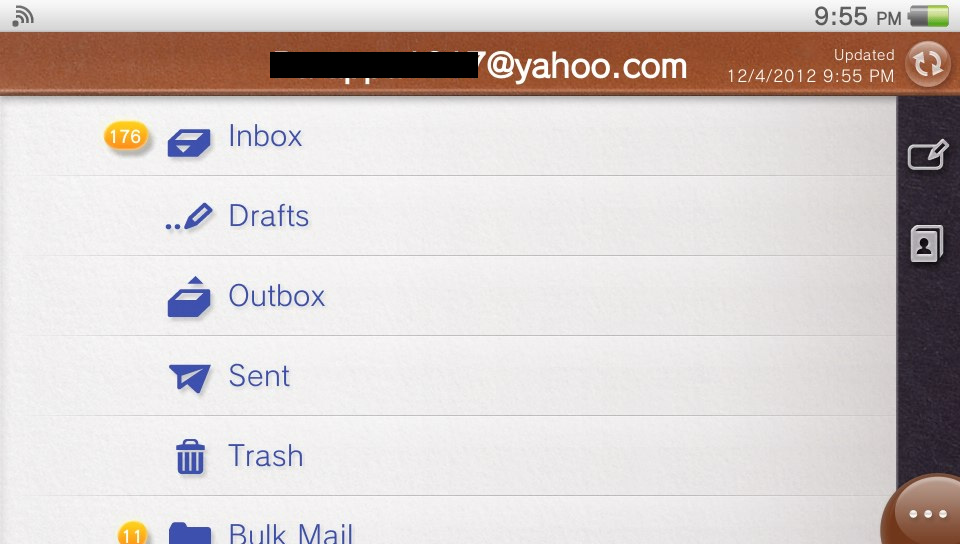
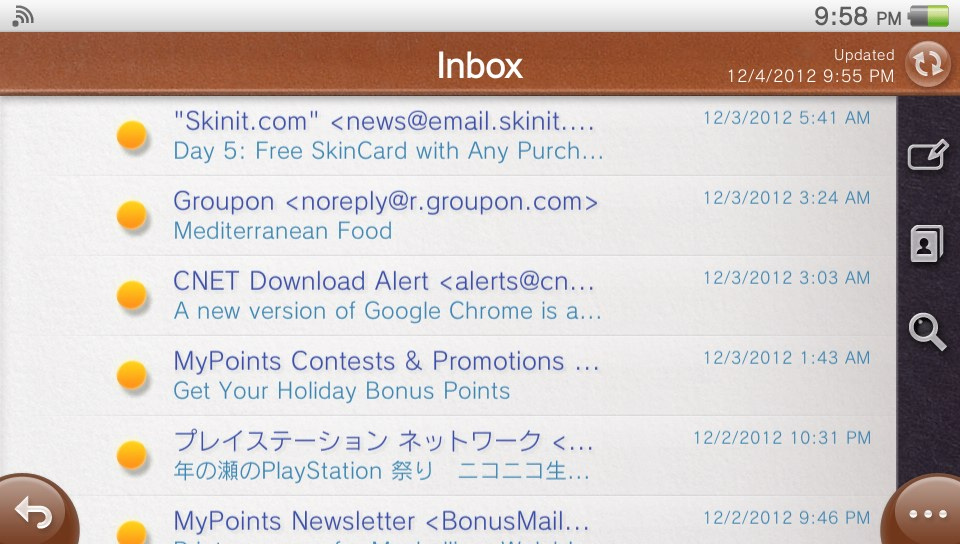
60. Does the PS Vita have an email app?
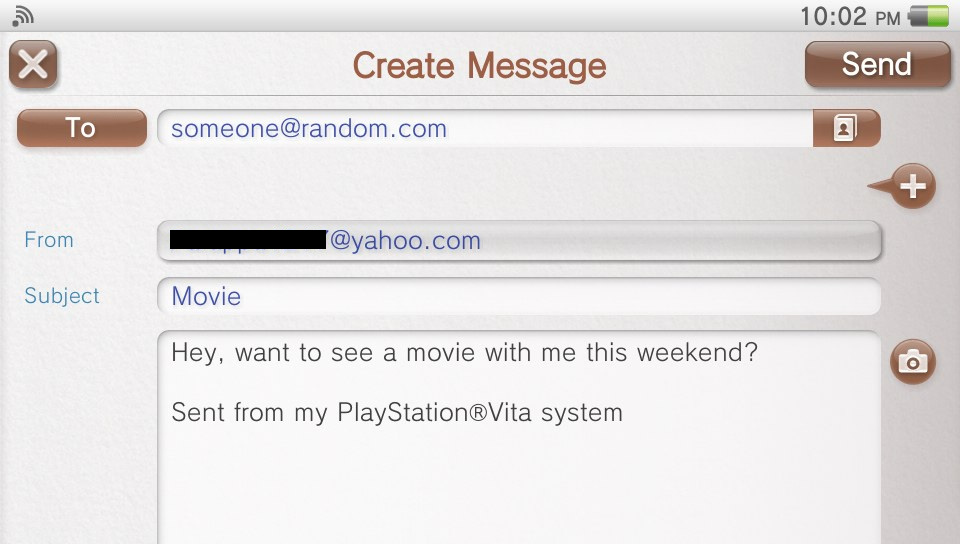
Yes. Vita firmware 2.00 and higher comes with an e-mail app that can run in the background and notify you of new e-mails. You can then switch to the email app and read your new mail.
Setting up your Google Mail and Yahoo Mail accounts is especially easy, but any e-mail account with IMAP or POP support should work. You can also reply to e-mails or send new ones from the Vita. Sending e-mail with photo attachments is also possible.
With firmware version 2.10 and higher, you can now view HTML e-mails from the e-mail app, which was previously not possible.
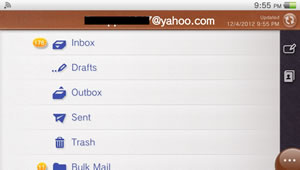
PlayStation Vita E-mail App Folders
(Click to Enlarge Image)
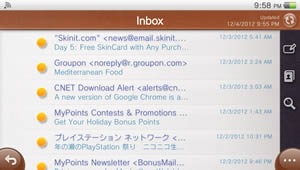
PlayStation Vita E-mail App Inbox
(Click to Enlarge Image)
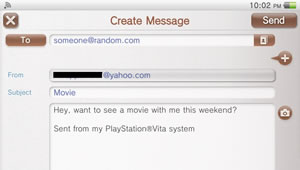
PlayStation Vita E-mail App Composing Message
(Click to Enlarge Image)
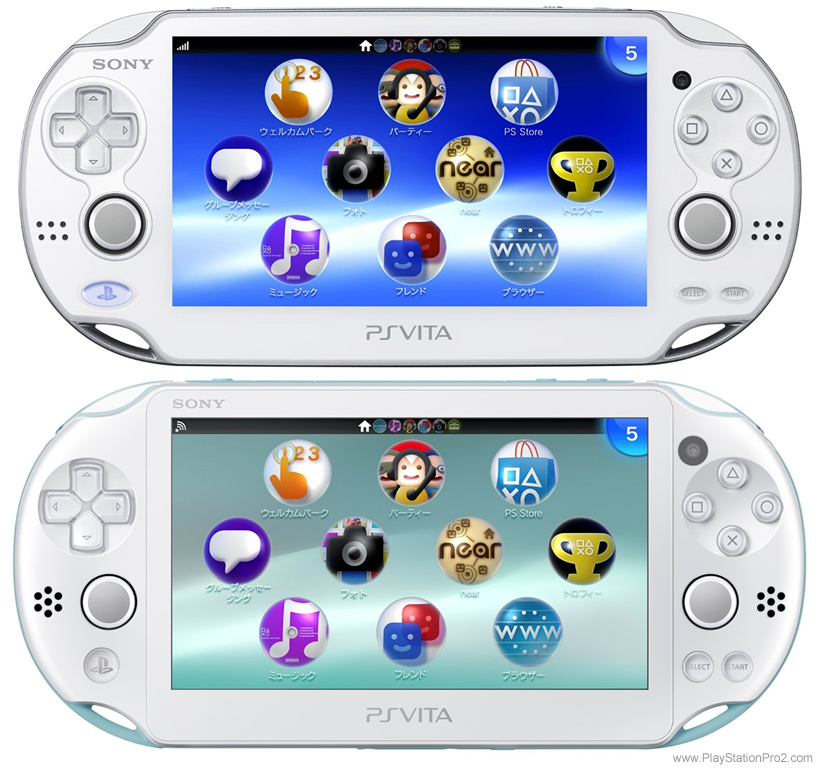
61. What is the difference between the PlayStation Vita and PlayStation Vita Slim?
The PlayStation Vita PCH-2000 model was released October 10, 2013 in Japan and May 6, 2014 in North America. It is unofficially called the PlayStation Vita Slim. The body is 15% lighter and 20% more thin than the original PlayStation Vita.
There is 1 GB of internal storage built into the unit, but it cannot be used in combination with any removeable memory cards. You can start to use the 1 GB of on-board storage space and transfer it your removeable memory card if you want. But just remember that the Vita needs to format the memory card before it transfers the data over to the card.
It has a LCD screen instead of an OLED screen. This results in at least one more hour of battery life according to Sony, but owners of the new system have seen much longer battery life than 1 additional hour compared to the original model.
The battery is easier to replace in this Slim model and it won't void the warranty anymore. Unfortunately, it still involves removing screws and opening up the unit. So it is not like you can easily swap the battery with a fresh one while on a long trip in a moving vehicle.
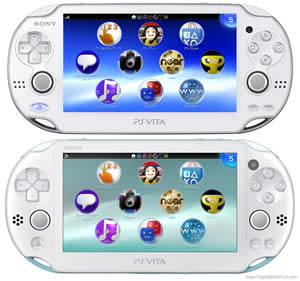
Vita and Vita Slim Comparison Image
(Click to Enlarge Image)
62. What is the PlayStation TV?
The PlayStation Vita TV is essentially a Vita without the built-in screen. You connect it to your HDTV using a HDMI cable and pair it with a DualShock 3 or DualShock 4 controller. Vita games and apps are output in 720p or 1080i resolution onto your HDTV.
Wifi and wired Ethernet connectivity are supported. All apps such as the web browser, music player, video player, Hulu, PlayStation Store, NicoNico, etc, are also supported.
Sony has stated that there will be over 100 Vita games compatible with the device at launch, along with PSP games and PlayStation 1 Classics. Of course, most future games should be compatible too. The only exception are games that absolutely need the touchscreen or rear touchpad to play the game. Remote Play with the PlayStation 4 will also be possible with the PS Vita TV set-top box.
The device has been available in Japan since November 14, 2013 for about $100 USD. The device was released in North American on October 14, 2014 at a price of $99.99.
To be continued with more information
Also on PlayStation Pro




 Name: PlayStation Vita
 1. What is the difference between the PlayStation Vita, PlayStation TV, PlayStation Vita TV, and Next Generation Portable?
The PlayStation TV is simply a small box with PlayStation Vita hardware inside of it, but without the built-in screen and gameplay input buttons. Instead, it has a HDMI OUT port to connect it to your HDTV and it pairs with your existing DualShock 3 and DualShock 4 controllers. Sony currently sells it for $99 USD.
PlayStation Vita TV is the name of the PlayStation TV in Asia.
Next Generation Portable was the codename for the PlayStation Vita. The word vita means "life" in Latin. It is very common for companies to assign codenames to their upcoming products during the development stages.
2. When was the PlayStation Vita released?
1. What is the difference between the PlayStation Vita, PlayStation TV, PlayStation Vita TV, and Next Generation Portable?
The PlayStation TV is simply a small box with PlayStation Vita hardware inside of it, but without the built-in screen and gameplay input buttons. Instead, it has a HDMI OUT port to connect it to your HDTV and it pairs with your existing DualShock 3 and DualShock 4 controllers. Sony currently sells it for $99 USD.
PlayStation Vita TV is the name of the PlayStation TV in Asia.
Next Generation Portable was the codename for the PlayStation Vita. The word vita means "life" in Latin. It is very common for companies to assign codenames to their upcoming products during the development stages.
2. When was the PlayStation Vita released?